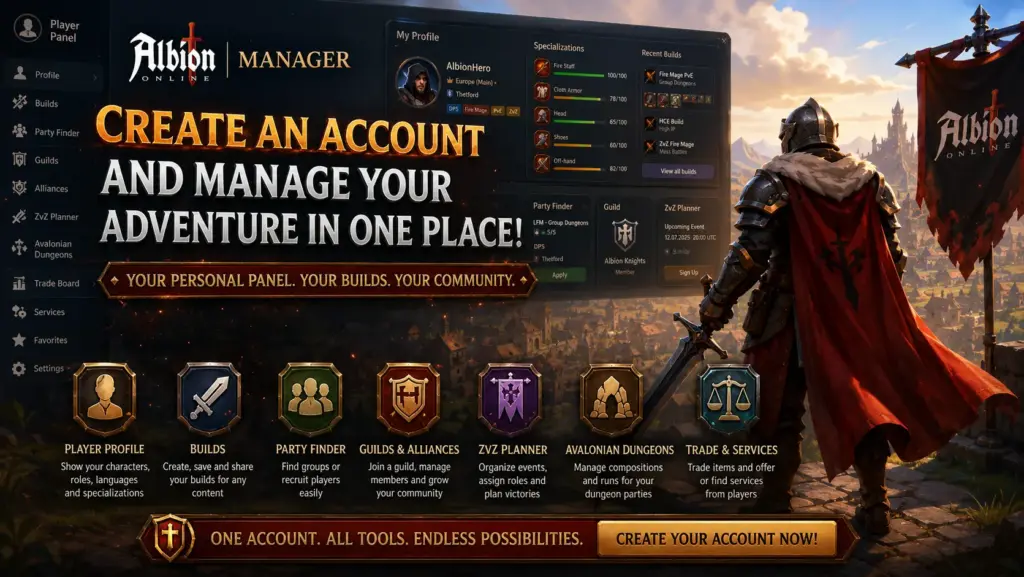
Albion Online offers enormous freedom, but as your character develops, the number of things you need to remember and organize quickly grows. Builds, specializations, guilds, alliances, PvE and PvP groups, ZvZ events, recruitment, trading, and player services often end up scattered across separate spreadsheets, Discord messages, and random notes.
Our tool Albion Online Manager Account was created to bring all these elements together in one service for free.
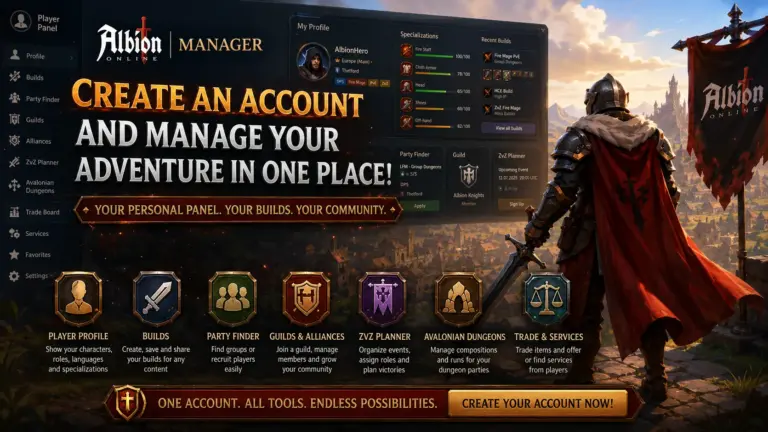
After creating a free account, you gain access to your own Player Panel, where you can develop your profile, save builds, search for guilds and groups, use organizational tools, and conveniently access the most important modules available on the website.
The account does not replace your Albion Online character and does not require you to provide your game login details. It is designed to help organize information, build communities, and use the features available on the website.
Your Personal Player Panel – Free Albion Online Tools
The Player Panel is the main place for managing your Albion Online Manager account. Instead of searching for individual tools across different sections of the website, you receive an organized dashboard containing the most important information and shortcuts to the features you use.
From the panel, you can:
- edit your player profile;
- access your saved builds;
- create a new build;
- open the Party Finder;
- search for a guild;
- publish a Looking for Guild listing;
- access your guild or alliance panel;
- use the ZvZ Planner;
- open the item database;
- manage watched items;
- manage your listings and activity on the website.
The panel was designed as the central hub for your entire account. As new modules are added, you do not need to create separate profiles or enter the same information again.
Create a Detailed Player Profile
After registering, you can create a profile that introduces you to other players, guilds, and activity organizers.
Your profile does not have to be limited to a simple card containing one nickname. You can use it to show which servers you play on, which roles you can perform, and which types of content interest you.
Character Names on Different Servers
Albion Online operates across several separate servers. An Albion Online Manager account allows you to organize your character names and identify your main nickname.
You can provide your details for:
- Europe;
- Americas;
- Asia.
This allows other players to immediately see where they can find you. It is particularly useful when searching for a group, applying to a guild, or responding to listings.
Party Roles
Your profile allows you to indicate the roles you can play. The system includes roles such as:
- Tank;
- Healer;
- Druid;
- DPS;
- Support.
You can select more than one role. This is useful for players who do not limit themselves to a single build and can adapt their character to the needs of the party.
A properly completed role section helps party leaders and guilds determine more quickly whether you are suitable for a planned activity.
Equipment Specializations
Your profile can show your progression in different equipment categories. You do not need to limit yourself to a general statement that you play as a DPS or healer.
You can display specializations related to:
- weapons;
- off-hands;
- head equipment;
- chest equipment;
- footwear.
This allows you to present your experience more accurately and show whether you have a sufficiently developed build for a particular activity.
It is especially useful when applying to more demanding groups, such as Avalonian Dungeons, Static Dungeons, larger PvP groups, or ZvZ events.
Languages and Availability
Albion Online is an international game, so efficient communication is important. Your profile allows you to specify the languages you use and the time periods during which you are normally available.
This helps you find:
- a guild active during suitable hours;
- a party that speaks the same language;
- players available in a similar time zone;
- a permanent group for regular activities.
Instead of repeatedly explaining the same details in private messages, you can provide them once in your profile.
Public Player Profile
Each user can have a public profile that can be shared with other people.
Such a profile can serve as your personal card within the Albion Online Manager community. You can share the link:
- in a recruitment listing;
- on Discord;
- in a message to a guild leader;
- when applying to a group;
- in a community description;
- when searching for a permanent party.
A public profile makes it easier to present the most important information without writing a long message from scratch every time.
Information directly related to account and panel management remains protected. Only the information intended for other players is displayed publicly.
Create and Save Your Own Builds
One of the most important account features is the ability to create your own Albion Online builds.
The Builder allows you to prepare a complete equipment set containing:
- main weapon;
- off-hand;
- head equipment;
- chest equipment;
- footwear;
- cape;
- bag;
- food;
- potion;
- mount;
- selected active abilities;
- passive abilities;
- additional alternatives and swaps.
You can prepare builds for different types of content, including:
- Group Dungeons;
- Solo Dungeons;
- Avalonian Dungeons;
- Static Dungeons;
- Hardcore Expeditions;
- Hellgates;
- Corrupted Dungeons;
- Roads of Avalon;
- ZvZ;
- small-scale PvP;
- gathering;
- transport.
My Builds
Created sets are saved in the My Builds section. There, you can browse your personal library, manage build statuses, and easily return to previously prepared configurations.
A build can be prepared as:
- a private set for personal use;
- a draft;
- a public build that can be shared with other players;
- part of a guide;
- a set prepared for a guild or a specific activity.
You do not need to recreate equipment from memory or search through old Discord messages every time.
Build Prices
Depending on data availability, a build may include estimated item prices for different servers and markets.
This allows you to evaluate more quickly:
- the total cost of the build;
- which items are the most expensive;
- whether the build fits your budget;
- whether it is worth preparing a cheaper alternative;
- which market may offer a better purchase price.
Prices in Albion Online change constantly, so they should be treated as planning assistance rather than guaranteed transaction prices.
Watch Items and Use the Equipment Database
An account provides convenient access to the Albion Online item database.
You can search for equipment, analyze its uses, and access information needed when creating builds. The database can help you compare:
- weapons;
- armor;
- off-hands;
- capes;
- food;
- potions;
- mounts;
- other equipment items.
Favorite Items and Watchlist
Players can save interesting items and create their own watchlist.
This feature is useful when:
- you are planning to purchase expensive equipment;
- you are waiting for a better price;
- you are developing several builds;
- you regularly use the same items;
- you want to return quickly to selected equipment;
- you are comparing alternative build items.
Instead of searching for each item again, you can collect the most important equipment in one place.
Find a Group with the Party Finder
After creating an account, you can use the Party Finder to organize groups.
The system supports two primary listing types:
- LFG — Looking for Group, when you are searching for a party;
- LFM — Looking for Members, when you are organizing a group and searching for players.
Search for a Group
Your listing can include:
- activity type;
- server;
- zone;
- language;
- your role;
- equipment requirements;
- planned party size;
- experience level;
- starting time;
- additional party rules.
The Party Finder can be used for many types of content, including:
- Group Dungeons;
- Static Dungeons;
- Avalonian Dungeons;
- Hardcore Expeditions;
- Roads of Avalon;
- World Bosses;
- Faction Warfare;
- Hellgates;
- ganking;
- small-scale PvP;
- ZvZ;
- Arena;
- transport;
- gathering;
- economic activities.
Organize Your Own Party
If you are a party leader, you can create a listing for specific roles.
Instead of posting short and imprecise messages across several channels, you can include all requirements in one listing.
You can specify whether you need:
- a tank;
- a healer;
- a druid;
- a DPS;
- a support;
- a caller;
- any other missing role.
Manage Your Listings
The panel allows you to return to your listings, review responses, and manage their status.
You can check:
- active listings;
- applications from other players;
- responses to your offers;
- invitations;
- reserve party members;
- completed or outdated listings.
This makes the Party Finder more than a public listing board. It becomes part of your personal account panel.
Find a Guild That Matches Your Playstyle
An Albion Online Manager account also makes it easier to find the right guild.
You can use the Guild Finder and filter communities according to criteria that matter to you, including:
- server;
- language;
- main activities;
- experience level;
- recruitment method;
- preferred playing hours;
- Portal City;
- type of gameplay;
- member requirements.
Instead of joining the first random guild you encounter, you can compare organization profiles and find a community that genuinely matches your playstyle.
Publish a Looking for Guild Listing
You do not have to limit yourself to browsing the guild directory. You can also create your own listing informing organizations that you are looking for a guild.
Such a listing can include:
- the server you play on;
- your roles;
- languages;
- availability;
- preferred activities;
- experience level;
- expectations regarding the guild;
- specialization information;
- preferred contact method.
Guilds currently recruiting can use this information to find suitable candidates themselves.
This is especially useful for players who:
- are returning to the game after a break;
- have changed servers;
- have left their previous guild;
- want to begin more advanced content;
- are looking for a guild using a specific language;
- need a community active during particular hours.
Create Your Own Guild or Join an Existing One
The Player Panel includes tools related to guild membership.
You can:
- create a profile for a new guild;
- join a guild using a code or invitation;
- submit an application;
- check your current membership;
- access your organization’s panel.
After joining a guild, its information can appear directly in your profile and Player Panel.
Guild Panel
If you belong to an organization, you can use the features available in the Guild Panel. The exact range of tools depends on your rank and assigned permissions.
The panel may include:
- guild profile;
- member list;
- ranks and roles;
- build library;
- recruitment;
- candidate applications;
- joining settings;
- invitation code and link;
- organizational information;
- tools for leaders and recruiters.
Roles and Permissions
A guild can use an organized role system, including:
- Guild Leader;
- Deputy Leader;
- Caller;
- Diplomat;
- Recruiter;
- Member;
- New Member.
Each role can receive access only to the functions required to perform its responsibilities.
For example, a recruiter may manage candidates and invitations, while a regular member does not need access to organization settings.
Alliances and Cooperation Between Multiple Guilds
The Player Panel also supports alliance membership.
You can:
- create an alliance profile;
- join an existing alliance;
- check the organization connected to your guild;
- access your alliance panel;
- use shared organizational tools.
The Alliance Panel is intended for larger communities that need a shared place to present the organization and coordinate several guilds.
Plan Events with the ZvZ Party Planner
The ZvZ Party Planner is an especially important tool for guilds and alliances.
The module helps prepare parties for larger PvP events. Leaders can organize the composition, roles, and equipment before the activity begins.
The planner can be used to:
- create events;
- plan multiple parties;
- select composition templates;
- define required roles;
- allow players to sign up for positions;
- assign members to specific slots;
- monitor missing roles;
- manage reserve players;
- record attendance;
- review event history.
For a regular guild member, this makes it easier to sign up for a role and check what the composition is still missing. For a leader, it means less manual party organization through messages and spreadsheets.
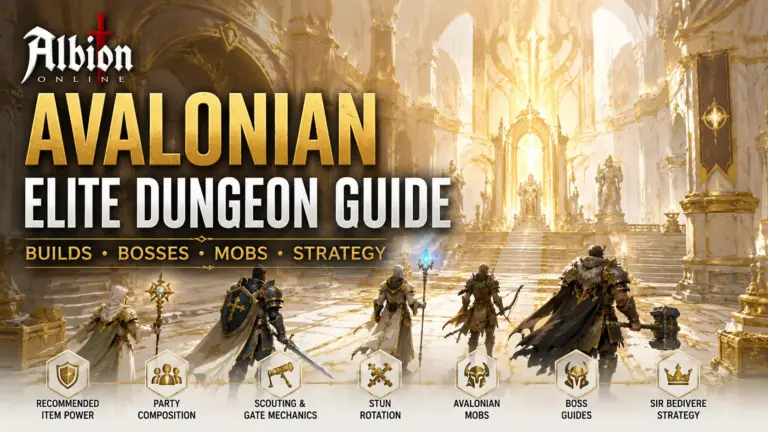
Organize Avalonian Dungeons
Players and organizations can also use tools designed for Avalonian Dungeons.
The Avalonian Dungeon Center helps manage:
- events;
- party compositions;
- PvE roles;
- Item Power requirements;
- player sign-ups;
- required builds;
- multiple groups within one event;
- history and attendance.
It is useful both for traditional twenty-player groups and smaller parties using more demanding configurations.
Player profiles, saved builds, and specializations can help organizers determine whether a participant is properly prepared for a selected role.
Use the Trade Board
An account also provides access to player-to-player trading features.
The Trade Board allows you to publish:
- Sell Orders;
- Buy Orders;
- bundles containing multiple items;
- unit prices;
- quantities;
- discounts for purchasing the entire set;
- total order value;
- an external screenshot link.
You can later manage your listings through the service.
The system is intended to connect players. The actual transaction still takes place inside Albion Online using Silver and the mechanics available in the game.
Publish and Search for Player Services
The Service Board expands account functionality with listings related to organized assistance and cooperation between players.
You can browse or publish services related to:
- transport;
- escorting;
- scouting;
- Fame farming;
- group carries;
- World Bosses;
- crafting;
- gathering;
- Hideouts;
- Roads of Avalon access;
- rental and access agreements;
- dungeon and raid services.
The panel allows you to return to your own listings and manage their status.
Albion Online Manager does not perform transactions on behalf of users. The service helps present an offer, find another party, and organize the terms of cooperation. Always verify the details and remain cautious before entering into an agreement.
All the Most Important Tools Under One Account
The greatest value of the account does not come from one individual feature, but from the connection between multiple modules.
The same profile can be used when:
- searching for a guild;
- joining a party;
- signing up for an event;
- presenting specializations;
- sharing builds;
- recruiting players;
- managing an organization;
- publishing offers;
- organizing services;
- planning ZvZ events;
- preparing Avalonian Dungeons.
You do not need to create a new identity or enter all your information from the beginning every time.
For New Players
An Albion Online Manager account can help players who are only beginning the game and do not yet know:
- which build to prepare;
- which role to choose;
- where to find a group;
- how to join a guild;
- how to present their experience;
- which items to specialize in;
- how to prepare for group PvE;
- how to begin participating in larger events.
You can start with a simple profile, one build, and your first party search. Additional features become more useful as your character develops.
You do not need to complete every field immediately.
For Experienced Players
More advanced players can use the account to organize their own resources and communities.
The panel helps with:
- maintaining a build library;
- presenting multiple specializations;
- searching for permanent groups;
- recruiting for a guild;
- managing members;
- planning events;
- controlling party compositions;
- organizing ZvZ and Avalonian Dungeons;
- publishing larger trade offers;
- offering or searching for services;
- developing a public profile within the community.
The more activities you participate in, the more value you gain from having one organized panel.
Why Should You Create an Account?
Without an account, you can still use public guides and some of the tools available on the website. Registration, however, unlocks features connected directly to the player.
After creating an account, you can:
- create your own profile;
- save and organize builds;
- watch items;
- publish listings;
- manage responses;
- search for guilds and parties;
- join organizations;
- use the Guild Panel and Alliance Panel;
- sign up for events;
- plan groups;
- manage trading and services;
- share your profile with other players.
Registration transforms the website from a directory of tools into a personal center for managing your Albion Online activity.
How to Get Started
Getting started with the Player Panel can be divided into several simple steps:
- Create an Albion Online Manager account.
- Log in and open the Player Panel.
- Add the nicknames you use on the Albion Online servers.
- Select your languages, roles, and main activities.
- Add your specialization information.
- Create your first build.
- Search for a guild or publish a Looking for Guild listing.
- Use the Party Finder to find your first group.
- Continue developing your profile alongside your in-game account.
You do not need to complete everything in one day. The panel can grow together with your character and experience.
Summary
Albion Online Manager was created as a shared space for players who want to organize their gameplay, builds, groups, and communities more effectively.
After creating an account, you gain access to a personal Player Panel where you can:
- present your characters, roles, and specializations;
- create a public profile;
- save your own builds;
- watch items;
- find a party;
- search for a guild;
- publish a recruitment listing;
- join a guild or alliance;
- use organizational tools;
- plan ZvZ events and Avalonian Dungeons;
- publish trade listings;
- search for and offer player services.
It does not matter whether you are just starting, returning after a break, developing several weapon lines, or managing a large guild. An account allows you to organize the most important information and use the entire Albion Online Manager ecosystem more conveniently.
Create an account, complete your profile, and start using tools designed for Albion Online players.